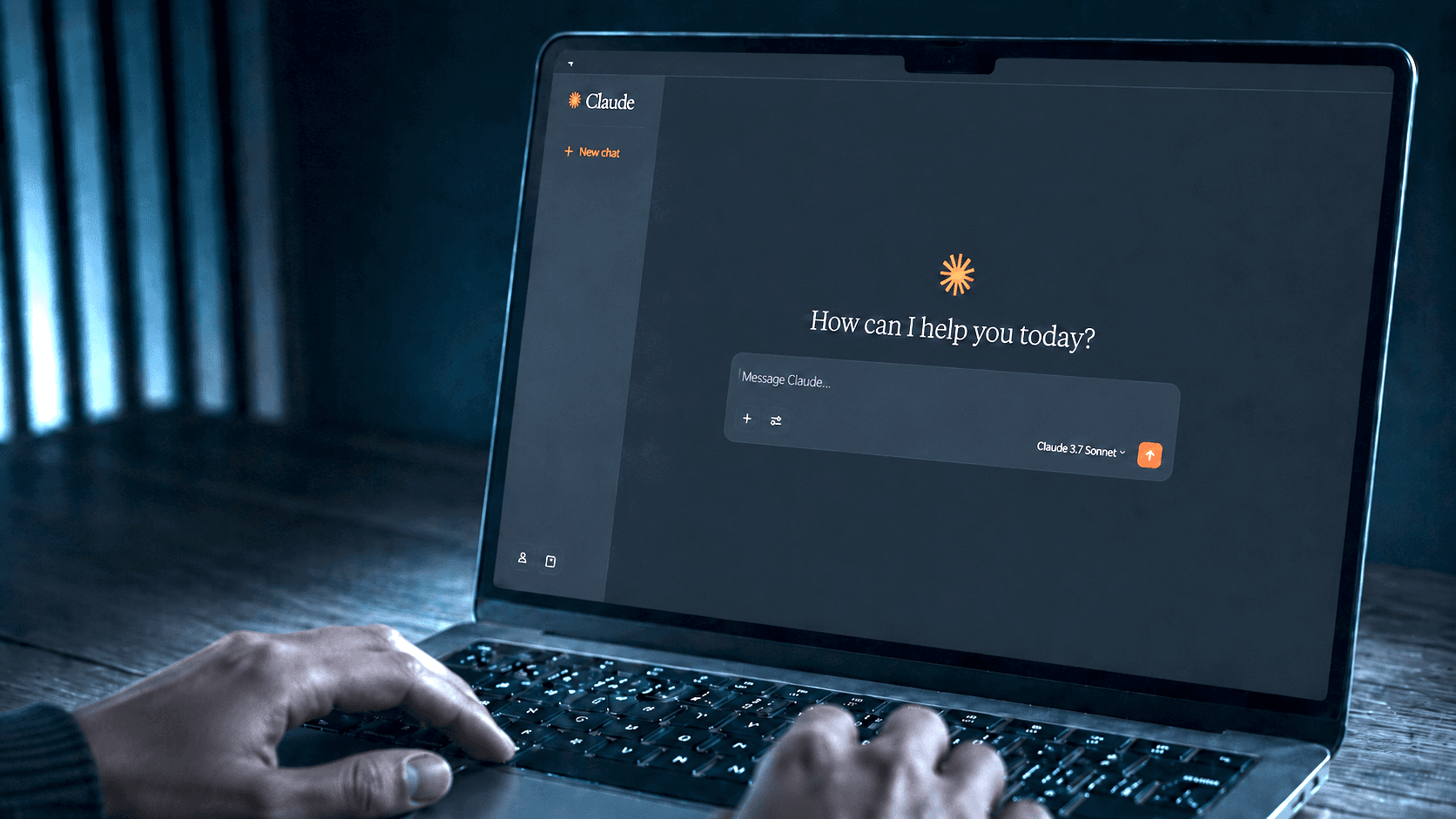
Shoreline MCP Server: Connecting your AI tools

Bring Shoreline into Claude, ChatGPT, Copilot, Cursor and other AI tools so teams can ask questions, generate reports and surface insights faster.

shoreline mcp server

Your Shoreline data. Inside your AI workflow.

Shoreline MCP Server connects live operational data from Shoreline to the AI tools your teams already use. With secure, read-write access, approved AI assistants can help teams ask questions, generate reports, understand project status, and surface operational insights faster, without switching systems or relying on manual exports.

Built for Enterprise. Secure by Default

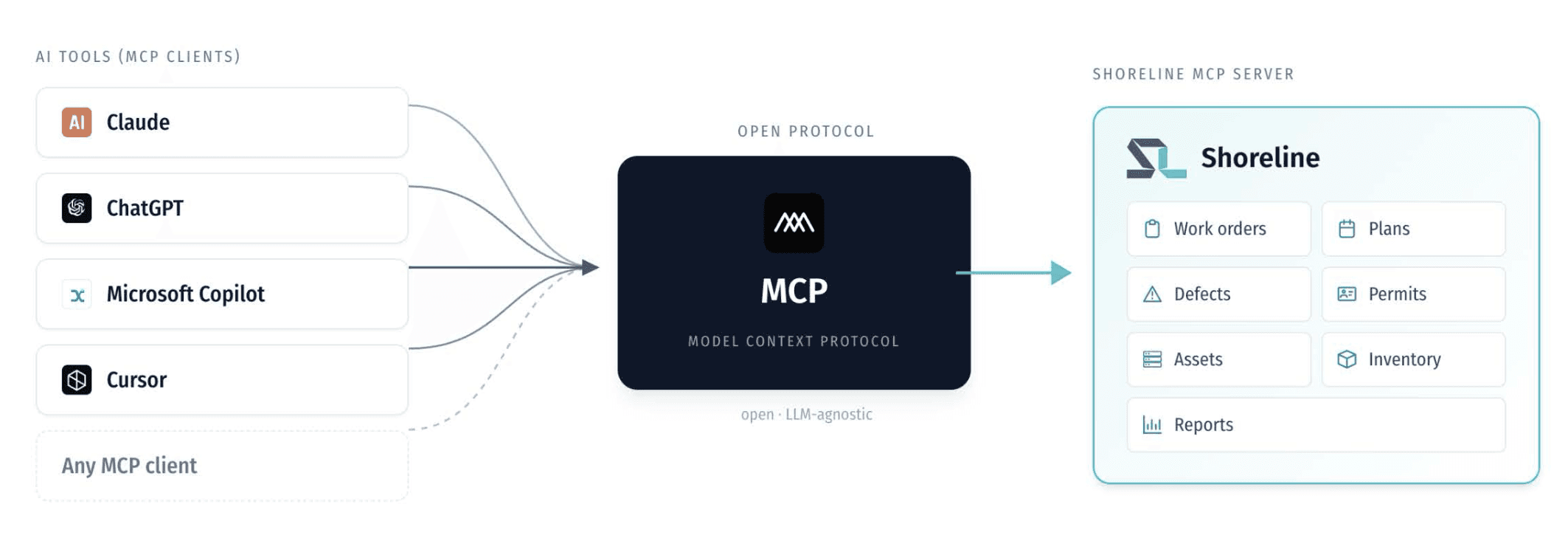
At the core of Shoreline MCP Server is a secure Model Context Protocol connection that lets AI assistants read approved Shoreline data through a controlled and authenticated integration.

It acts as the link between Shoreline and tools like Claude, ChatGPT, Copilot and Cursor, giving planners, site teams, resource managers and leadership access to the information they need inside their existing AI workflow.

The result is faster answers, fewer manual reports and a more connected way to run wind operations.
Connect

Connect Claude, ChatGPT, Copilot or any MCP-compatible assistant to Shoreline through one secure integration.

Connect

Connect Claude, ChatGPT, Copilot or any MCP-compatible assistant to Shoreline through one secure integration.

Connect

Connect Claude, ChatGPT, Copilot or any MCP-compatible assistant to Shoreline through one secure integration.

Query

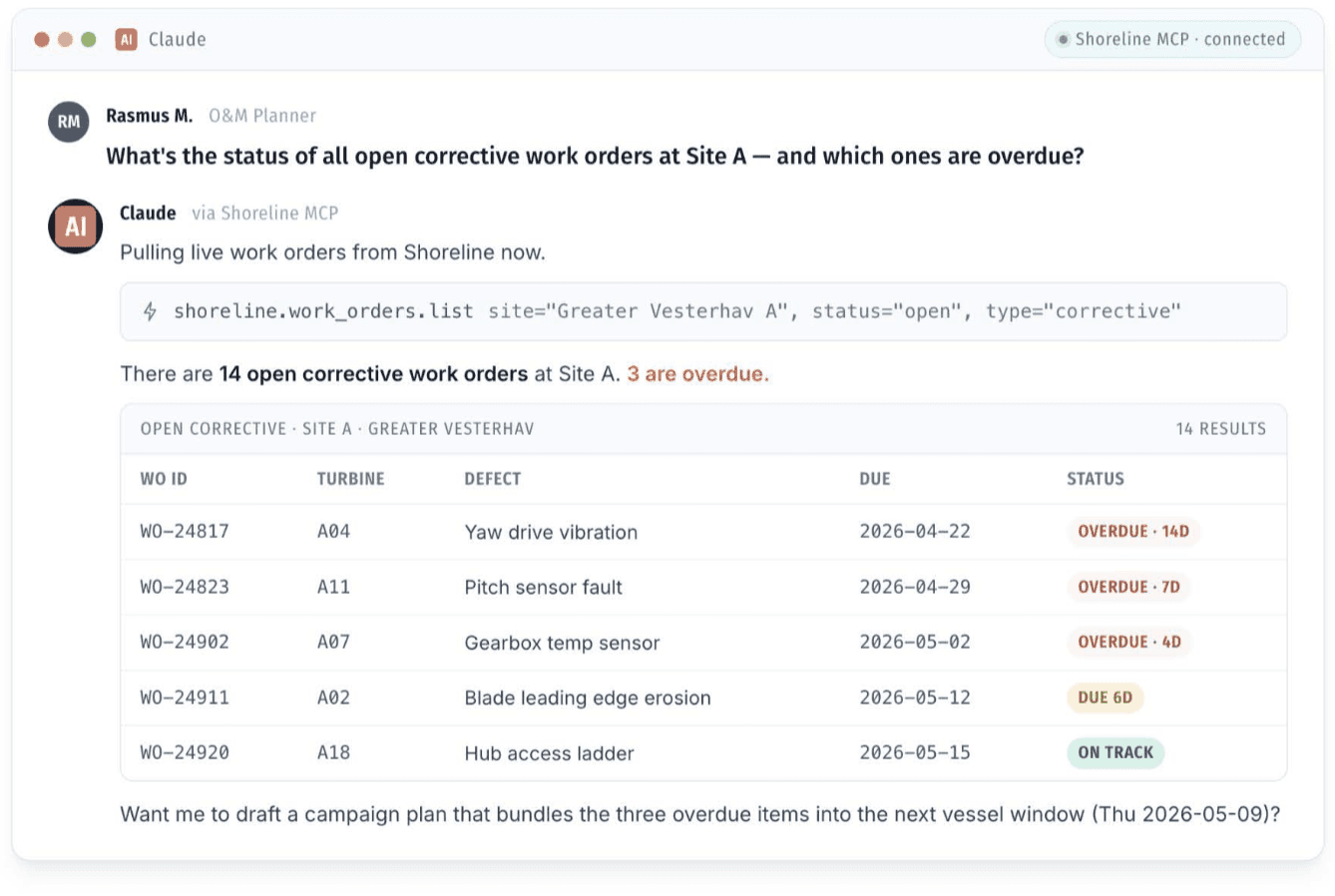
Ask about work orders, defects, resources, inventory, reports, certifications, permits and more using current Shoreline data.

Query

Ask about work orders, defects, resources, inventory, reports, certifications, permits and more using current Shoreline data.

Query

Ask about work orders, defects, resources, inventory, reports, certifications, permits and more using current Shoreline data.

Execute

Generate briefings, status summaries, defect lists, resource views and updates in seconds without switching systems.

Execute

Generate briefings, status summaries, defect lists, resource views and updates in seconds without switching systems.

Execute

Generate briefings, status summaries, defect lists, resource views and updates in seconds without switching systems.

differentiation

Custom Insights with Operational Context

Most AI tools generate answers. Shoreline MCP Server delivers operational context. By securely connecting Shoreline to the AI workflows teams already use, it enables grounded, real-time operational insights while keeping Shoreline as the trusted source of truth for wind operations.
No extra login

Teams can ask operational questions directly inside their AI assistant without opening Shoreline, exporting spreadsheets or searching across reports.

No extra login

Teams can ask operational questions directly inside their AI assistant without opening Shoreline, exporting spreadsheets or searching across reports.

No extra login

Teams can ask operational questions directly inside their AI assistant without opening Shoreline, exporting spreadsheets or searching across reports.

Real-time context

Answers are based on current Shoreline data, helping users see what is overdue, what needs attention and where action is required.

Real-time context

Answers are based on current Shoreline data, helping users see what is overdue, what needs attention and where action is required.

Real-time context

Answers are based on current Shoreline data, helping users see what is overdue, what needs attention and where action is required.

Every role

From O&M planners to site managers, resource managers, warehouse teams, technicians and leadership, every team can get role specific answers in seconds.

Every role

From O&M planners to site managers, resource managers, warehouse teams, technicians and leadership, every team can get role specific answers in seconds.

Every role

From O&M planners to site managers, resource managers, warehouse teams, technicians and leadership, every team can get role specific answers in seconds.

Secure access

The MCP Server is read-only, authenticated, scoped and admin-controlled, giving teams insights without allowing AI assistants to edit or delete Shoreline data.

Secure access

The MCP Server is read-only, authenticated, scoped and admin-controlled, giving teams insights without allowing AI assistants to edit or delete Shoreline data.

Secure access

The MCP Server is read-only, authenticated, scoped and admin-controlled, giving teams insights without allowing AI assistants to edit or delete Shoreline data.

Bring Shoreline into your AI workflow

The Shoreline MCP Server is available now. Get a tailored walkthrough or contact your Customer Success Manager to enable it.